
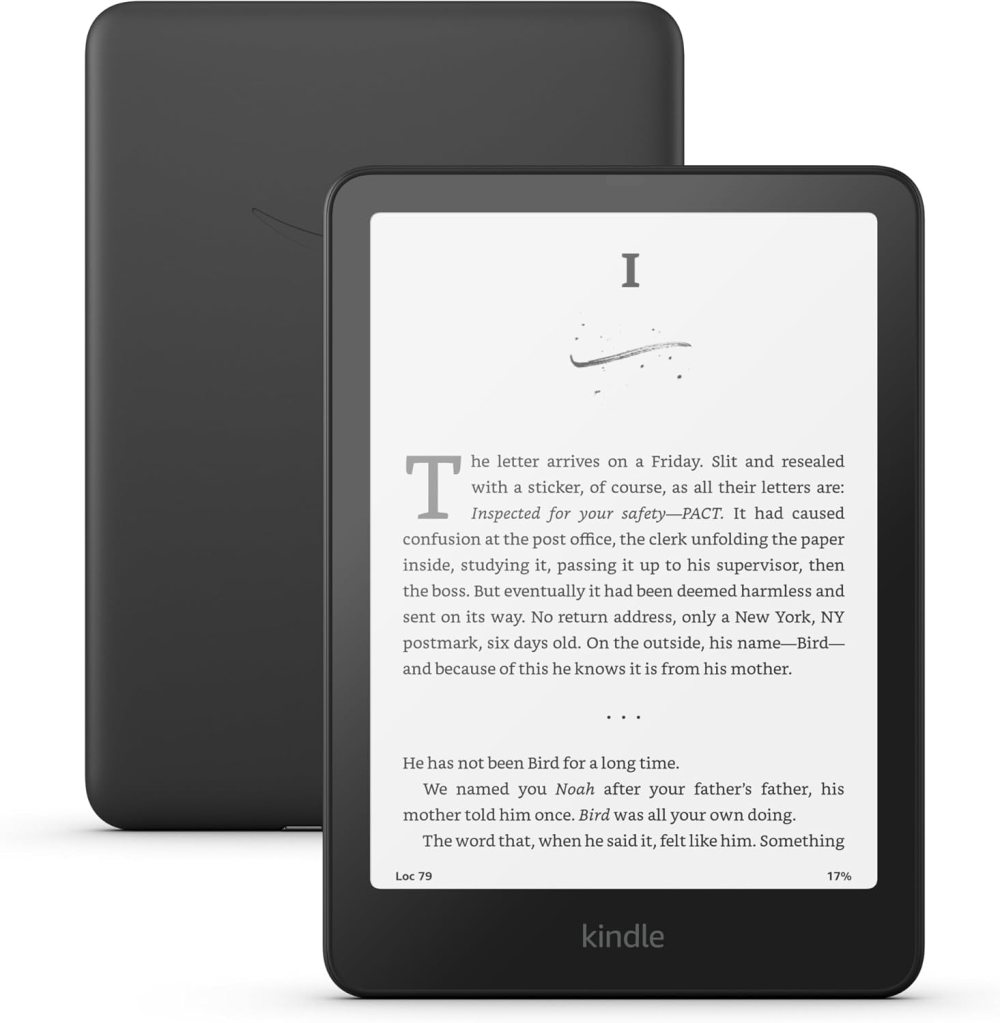
Kindle Colorsoft 2025: Is a Color Kindle Worth Your Money?


The New Era of Reading Has a Splash of Color

Amazon just launched the Kindle Colorsoft, a game-changer for anyone who thought e-readers were stuck in black and white. With color support, better hardware, and even a kid-friendly edition, the Colorsoft is grabbing attention — but is it worth the upgrade?

Let’s unpack the features, compare it to other Kindle models, and find out who this new device is really for.


What’s New About the Kindle Colorsoft

Amazon released three main models:

  • Kindle Colorsoft (16GB): Entry-level version with color E Ink screen.
  • Kindle Colorsoft Kids Edition: Same hardware, colorful cover, and a 1-year Amazon Kids+ subscription.
  • Kindle Colorsoft Signature Edition (32GB): Includes wireless charging, adaptive front light, and larger storage.

All three models use the new E Ink Gallery 3 display, which supports 4096 colors — a big jump from traditional grayscale.


Kindle Color vs. Paperwhite: Which One Wins?

While the Colorsoft offers vibrant visuals, especially for comics, children’s books, and PDFs, it comes with some trade-offs:

FeatureKindle ColorsoftKindle Paperwhite
DisplayColor E Ink (Gallery 3)B&W E Ink Carta
Storage16GB or 32GB8GB or 16GB
Battery LifeSlightly shorterLonger (up to 10 weeks)
Price$$$ (more expensive)$$ (more affordable)

Verdict:

  • Colorsoft is ideal for visual readers, educators, kids, and creatives.
  • Paperwhite remains the best value for casual reading and long sessions.

Who Should Actually Buy the Colorsoft?

  • 📚 Students or Professionals who handle charts, diagrams, and PDFs
  • 👶 Parents looking for a durable, educational device for kids
  • 🎨 Comic lovers and graphic novel readers

If you’re just into novels or read primarily at night, the Paperwhite may still be your better match. But if your reading is colorful — the Colorsoft is a strong contender.


Affordability: Is It Really a Smart Investment?

At launch, the Colorsoft costs more than any previous Kindle. However, if you:

  • Switch from physical books (especially color ones),
  • Want a paperless study system,
  • Or plan to share it with kids…

…then it might pay for itself in convenience and versatility.

💡 Bonus tip: Watch out for Amazon Prime Day or seasonal deals for discounts on Kindle models, especially bundles.

👉 [Kindle Colorsoft]


Final Thoughts: A Colorful Step Forward

The Kindle Colorsoft isn’t for everyone — and that’s okay. But for those who see reading as more than just text on a screen, this device opens up new possibilities. It may not replace your Paperwhite, but it might just complement it beautifully.

Need color in your Kindle life? Check the current price and reviews here: 👉 [Kindle Colorsoft]
Why Reading More Can Actually Save You Money (And Why a Kindle Is a Smart Investment)


The Hidden Cost of Not Reading

Reading isn’t just about knowledge — it’s about saving yourself from costly mistakes.

Books, articles, and blogs offer lessons people usually pay to learn the hard way: overspending, bad investments, emotional buying, or poor financial planning. And yet, we often avoid reading because we think we don’t have time — or we think it’s too expensive.

But here’s the truth: not reading can cost you far more than a $10 eBook.


Why a Kindle Makes Financial (and Practical) Sense

If you’re serious about learning, improving, and saving, a Kindle isn’t a luxury — it’s a financial tool. Here’s why:

✅ It’s Cheaper Than Buying Physical Books

The average paperback costs more than its Kindle version. Multiply that by how much you read, and you’ve already justified the device.

TypeAverage Cost per Book
Paperback$12 – $18
Kindle eBook$5 – $11

Now imagine reading just 2 books a month. In one year, the savings alone can cover the cost of a Kindle — and then some.

✅ You Carry a Library Everywhere

No more overweight luggage or limited book choices during trips. Whether you’re in Italy, Brazil, or a noisy airport lounge, your entire financial library fits in your hand.

✅ Kindle Unlimited and Free Books

Many titles are free or included in Kindle Unlimited, which gives you thousands of finance, productivity, and self-help books for the price of one.

✅ It’s Distraction-Free Learning

Unlike tablets, a Kindle doesn’t tempt you with Instagram, TikTok, or email. It’s just you and the knowledge — no scroll, no noise.


Who Should Consider It?

If you:

  • Want to build smarter habits without clutter
  • Travel often or move between countries
  • Are trying to cut spending without giving up growth
  • Are building a minimalist or smart-tech lifestyle

Then investing in a Kindle is a no-brainer.


Recommended Kindle: Best Value for 2025

💡 Our PickKindle Paperwhite (16 GB) – 6.8″ display, adjustable warm light, glare-free
🟢 Why it wins: perfect balance between screen quality, battery life, and price.

It’s the ideal upgrade if you’re ready to build a smarter, lighter, and more focused reading habit.


Conclusion: Read More, Spend Less

If you want to grow financially, you need to learn continuously. And there’s no smarter way to do that — in a practical, affordable, and portable way — than with a Kindle.

You don’t need more shelves. You need more wisdom in your pocket.

👉 Check out the latest Kindle Paperwhite on Amazon and start building your wealth library today.

What Is Cloud Gaming (and Why Xbox Cloud Just Took the Lead)

Gaming is no longer confined to powerful consoles or expensive PCs. In 2025, cloud gaming is reshaping how we play, removing the need for bulky hardware and making AAA experiences accessible from almost any device — smartphones, tablets, or even smart TVs. And in this space, Xbox Cloud Gaming is leading the charge.

Let’s explore how cloud gaming works, why it matters now more than ever, and how Xbox is setting a new standard in this evolving tech landscape.


What Is Cloud Gaming?

The Concept

Cloud gaming lets you play video games streamed over the internet — just like Netflix, but for games. Instead of downloading or installing, you stream gameplay from a remote server directly to your device.

Key Benefits

  • No need for high-end hardware
  • Instant access to large game libraries
  • Seamless gaming across devices
  • Lower entry barrier for new players

Why Cloud Gaming Is Booming in 2025

1. Faster Internet = Better Streaming

With 5G and fiber internet becoming widespread, latency and lag — once major issues — are now mostly resolved for casual to mid-core gaming experiences.

2. Shift to Subscription Models

Services like Xbox Game Pass Ultimate, NVIDIA GeForce Now, and PlayStation Plus Premium offer streaming as part of all-inclusive subscriptions, making it cheaper to access new titles.

3. Global Hardware Shortages

As hardware remains expensive in many regions, cloud gaming provides an affordable alternative for players who can’t afford a PS5 or high-end PC.


Xbox Cloud Gaming: Why It’s Ahead of the Curve

Microsoft’s Xbox Cloud Gaming (formerly known as xCloud) has taken a noticeable lead for several reasons:

🔹 Seamless Integration with Game Pass

Subscribers to Game Pass Ultimate can stream hundreds of titles instantly, including AAA games like Starfield, Forza Horizon 5, and Halo Infinite.

🔹 Device Compatibility

From Android and iOS to web browsers and Samsung TVs, Xbox Cloud Gaming is available on more platforms than its competitors.

🔹 Smooth User Experience

Xbox’s infrastructure is backed by Microsoft’s Azure cloud — enabling lower latency, better loading speeds, and higher reliability worldwide.


How Xbox Compares to Other Platforms

FeatureXbox Cloud GamingPlayStation Plus PremiumNVIDIA GeForce Now
Game Library AccessGame Pass includedLimited cloud selectionBring your own games
Device CompatibilityBroad (TV, phone, browser)Limited (mostly PS devices)Broad, but less mainstream
Price Tier (Monthly)$16.99 (Ultimate)$17.99$9.99–$19.99
Streaming PerformanceExcellent with AzureImprovingHigh (depends on plan)

What It Means for Users and Developers

For Gamers

  • Affordable access to premium titles
  • Ability to play on multiple devices with one subscription
  • Easier for newcomers to get started without upfront costs

For Developers

  • More players = wider reach
  • Easier deployment of updates
  • New monetization strategies via subscriptions

Investor’s Angle: A Growing Sector

With companies like Microsoft, Amazon (Luna), and Google (formerly Stadia) investing billions into cloud infrastructure, this sector is projected to grow over 30% CAGR through 2030. Cloud gaming isn’t a fad — it’s a future-proof vertical.


Cloud gaming is not just an alternative — it’s becoming the future of gaming. And in 2025, Xbox Cloud Gaming stands out for its accessibility, catalog, and infrastructure. Whether you’re a gamer, tech enthusiast, or investor, this is a space to watch closely.

Google Sheets vs. Excel for Budgeting: Which One Wins?

When it comes to personal finance, the right tools make all the difference. Two giants dominate the world of spreadsheets: Google Sheets and Microsoft Excel. Both are powerful — but which one is better for building and maintaining a budget?

In this article, we’ll compare the two platforms based on features, usability, integrations, and — most importantly — how well they help you manage your money.


What Makes a Great Budgeting Tool?

Before we compare, here are the key things to look for in a budgeting spreadsheet:

  • 💡 Easy-to-use interface
  • 📈 Chart & graph support
  • 🔄 Automation and formulas
  • 🔗 Integrations with banks or budgeting apps
  • 🧩 Templates and customization

Now, let’s see how Google Sheets and Excel stack up.


Google Sheets for Budgeting

✅ Pros

  • Cloud-based: Access from any device, anytime
  • Real-time collaboration: Perfect for couples or shared budgets
  • Free to use: Available with any Google account
  • Templates: Tons of free personal finance templates available online
  • Google integration: Sync with Calendar, Gmail, Notion, and Google Finance

⚠️ Cons

  • Fewer advanced financial features
  • Heavily reliant on internet access
  • Slower performance with large datasets

Excel for Budgeting

✅ Pros

  • Advanced formulas and macros: Ideal for deep financial analysis
  • PivotTables & Power Query: Strong tools for organizing complex data
  • Data security: Offline access and robust password protection
  • Templates & financial models: Especially useful for business owners or investors

⚠️ Cons

  • Requires Microsoft Office license (not free)
  • Steeper learning curve for beginners
  • Limited real-time collaboration (unless using OneDrive)

Side-by-Side Comparison Table

FeatureGoogle SheetsMicrosoft Excel
CostFreePaid (Office 365)
AccessWeb-basedDesktop + Cloud
Best ForBeginners, SharingAdvanced users, Business
TemplatesAbundant & SimpleAdvanced & Professional
CollaborationExcellent (real-time)Basic (OneDrive only)
Automation & MacrosBasic supportExtensive capabilities
Mobile UsabilityGreatModerate

So… Which One Should You Use?

Use Google Sheets if:

  • You’re new to budgeting and want a simple, free solution
  • You need to share and collaborate on a budget with others
  • You want access anywhere without installing anything

Use Excel if:

  • You love detailed control and advanced financial tools
  • You work with complex financial models or business budgets
  • You’re already paying for Microsoft Office

Bonus Tip: Combine Both!

Some users prefer to start in Google Sheets for planning and migrate to Excel when things get more detailed. You can import/export between platforms easily!


📌 References

The Best Budgeting Apps in 2025: Free vs. Premium

In 2025, managing personal finances has never been easier — or more overwhelming. With dozens of budgeting apps available, how do you choose the right one for your lifestyle and goals? Whether you’re a college student on a tight budget or a busy parent managing household expenses, this guide will help you compare the best free and premium budgeting apps on the market.


📱 Why Use a Budgeting App?

Budgeting apps can help you:

  • Track income and expenses
  • Set financial goals
  • Avoid overspending
  • Improve credit and save for the future

They offer real-time visibility into your financial life, replacing outdated spreadsheets and guesswork.


🆓 Best Free Budgeting Apps in 2025

1. Mint (by Intuit)

Pros:

  • Syncs with bank accounts
  • Real-time alerts and bill reminders
  • Free credit score tracking
    Cons:
  • Ad-supported
  • Some users report syncing issues

2. Goodbudget

Pros:

  • Based on the envelope method
  • Simple and great for beginners
    Cons:
  • No automatic transaction syncing
  • Limited features on the free plan

3. Spendee

Pros:

  • Colorful UI, perfect for visual learners
  • Shared wallets for couples/families
    Cons:
  • Limited automation in the free version

Best Premium Budgeting Apps in 2025

1. You Need a Budget (YNAB)

Price: $14.99/month or $99/year
Pros:

  • Based on zero-based budgeting
  • Educational resources and workshops
  • Helps you “age your money”
    Cons:
  • Steeper learning curve
  • No free version

2. PocketSmith

Price: Starts at $9.95/month
Pros:

  • Forecast your finances up to 30 years
  • Great for planners and visual budgeters
    Cons:
  • Slightly dated interface
  • Can feel overwhelming for beginners

3. Monarch Money

Price: $9.99/month
Pros:

  • Clean design, powerful features
  • Joint budgeting and wealth tracking
    Cons:
  • Still growing its feature set

📊 Comparison Table: Free vs. Premium

AppTypeBest ForPriceAutomationHighlights
MintFreeBeginnersFreeCredit score, real-time sync
GoodbudgetFreeEnvelope method loversFreeSimple and effective
SpendeeFreeVisual learners & familiesFree✅ (limited)Shared wallets
YNABPremiumCommitted budgeters$14.99/moZero-based budgeting
PocketSmithPremiumLong-term planners$9.95/moFinancial forecasting
Monarch MoneyPremiumCouples and visual trackers$9.99/moWealth management tools

Final Thoughts: Which App Is Right for You?

  • If you’re just starting out and need simplicity: Start with Mint or Goodbudget.
  • If you’re serious about financial goals and love data: Go with YNAB or PocketSmith.
  • If you’re budgeting with a partner: Try Spendee (free) or Monarch Money (paid).

Ultimately, the best budgeting app is the one you’ll actually use. Most premium apps offer free trials — take advantage of them!

iPhone vs. Android for Financial Productivity: Who Wins?

In today’s fast-paced digital world, smartphones are more than communication tools — they’re personal finance assistants, budgeting platforms, and investment dashboards all in one. But when it comes to financial productivity, does one operating system reign supreme? Let’s break down the pros and cons of iPhone (iOS) and Android when managing money.

📱 App Availability and Integration

iPhone (iOS):

  • Seamless integration with Apple-native apps like Apple WalletApple Pay, and Reminders for budgeting habits.
  • App Store has high standards for app security and UI, making financial tools like YNABMint, and Copilot run smoothly.

Android:

  • Broader customization and support for a wider range of budgeting apps.
  • Google Pay offers deep integration with Google Workspace (Calendar, Gmail, Sheets) — ideal for spreadsheet lovers.
  • Access to region-specific finance apps not available on iOS.

✅ Winner: Tie — iOS for polished experiences; Android for flexibility and regional variety.

Privacy and Security

iPhone (iOS):

  • Known for high-end security. Features like Face ID, app tracking transparency, and end-to-end encryption enhance protection for sensitive data.
  • Native system restrictions reduce exposure to malicious finance apps.

Android:

  • Improved in recent years, especially with newer Pixel and Samsung devices.
  • However, open ecosystem increases risk unless users are vigilant with downloads.

✅ Winner: iPhone — ideal for users prioritizing security in banking and investing.

💡 Smart Automation and Ecosystem

iPhone (iOS):

  • Shortcuts app lets users automate expense tracking, send savings reminders, or log purchases to Notes.
  • Strong synergy with Mac/iPad/iCloud for managing finances across devices.

Android:

  • Power users can use Tasker or Google Assistant Routines for advanced automations.
  • Better integration with third-party widgets and open APIs for custom finance dashboards.

✅ Winner: Android — more automation freedom, especially for tech-savvy users.

Value for Money

iPhone (iOS):

  • High upfront cost, but long software support (5+ years).
  • iPhones retain resale value — a hidden financial benefit.
  • Premium feel, but some finance tools are paid.

Android:

  • More affordable options across the board.
  • Many financial apps and tools are free or freemium.
  • Can switch brands or upgrade without being locked into a single ecosystem.

✅ Winner: Android — ideal for those seeking cost-effective tech that gets the job done.

Productivity Boost: Which One Makes You More Financially Organized?

iPhone:

  • Clean, distraction-free interface.
  • Better native calendar/reminder tools for recurring payments or budgeting deadlines.
  • Ideal for those who prefer simplicity and focus.

Android:

  • Multitasking tools (split screen, floating windows) help track investments while researching or watching tutorials.
  • Google ecosystem integration helps sync financial goals with emails, calendars, and docs.

✅ Winner: Android — more power tools for multitasking and planning.


Final Verdict

CategoryWinner
App IntegrationTie
Privacy & SecurityiPhone
AutomationAndroid
Cost/ValueAndroid
Financial ProductivityAndroid

While the iPhone wins in privacy and seamless experience, Android dominates in customization, automation, and affordability — making it a top choice for financial productivity power users.

Ultimately, the best device is the one that fits your habits, apps, and financial lifestyle. Whether you’re a budget-tracker, investor, or side hustler — both platforms offer smart tools to help you grow.


Best Budget Laptops for 2025: Affordable and Powerful Choices

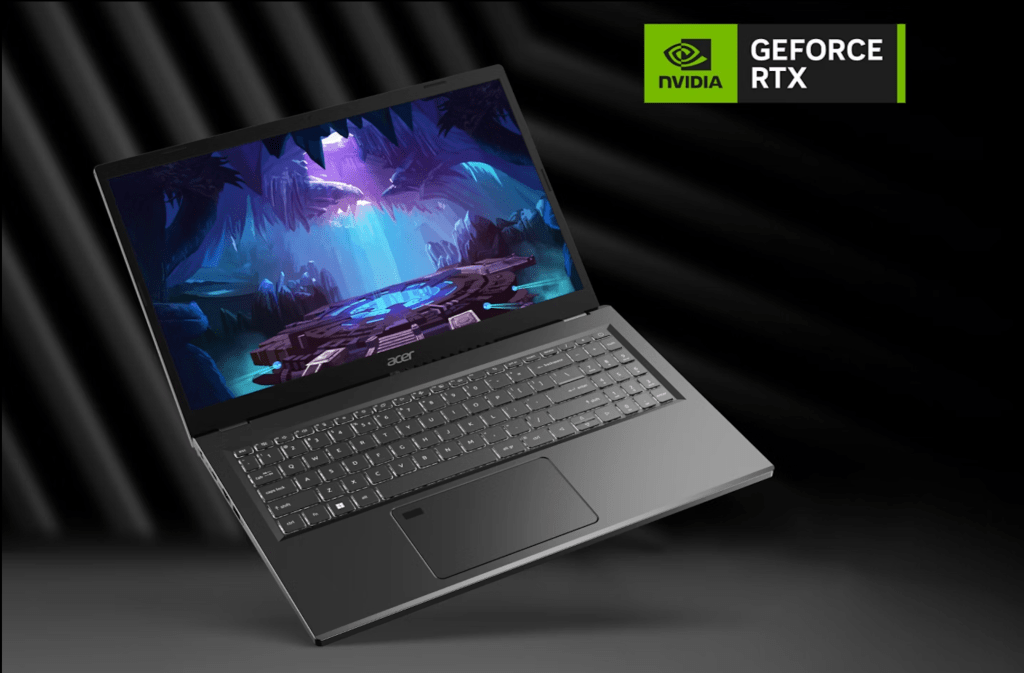
Acer Aspire 5 laptop open on desk
Official image from Acer U.S.: https://www.acer.com/us-en/laptops/aspire/aspire-5-intel

Finding a laptop that balances affordability and performance can be challenging, especially with the ever-evolving technology landscape. In 2025, budget-friendly laptops are more powerful than ever, offering excellent displays, solid performance, and long battery life without breaking the bank. Whether you’re a student, a remote worker, or simply need a reliable laptop for daily tasks, this guide will help you find the best value options.


What to Look for in a Budget Laptop

Before diving into our top picks, here are the key features to consider when buying a budget laptop:

✔ Processor (CPU): Opt for at least an Intel Core i5 (12th Gen or later) or AMD Ryzen 5 for smooth multitasking. For lower-end models, a Core i3 or Ryzen 3 can still handle everyday tasks well.

✔ RAM: 8GB RAM is the sweet spot for most users. Avoid 4GB unless you’re using a Chromebook or plan to upgrade later.

✔ Storage: Choose an SSD (Solid State Drive) over HDD for faster boot times and better overall performance. 256GB SSD is the minimum recommended, but 512GB SSD is ideal.

✔ Display: A Full HD (1920×1080) screen ensures better clarity. IPS panels offer better viewing angles than TN panels.

✔ Battery Life: Look for at least 8-10 hours of battery life for all-day usage without needing a charger.

✔ Build Quality & Keyboard: A sturdy chassis and a comfortable keyboard are essential for long-term use.


Top 5 Budget Laptops for 2025

1. Acer Aspire 5 (2025 Edition) – Best Overall Budget Laptop

💰 Price: Around $500
💡 Why We Recommend It: A powerful budget laptop featuring a Ryzen 5 7530U8GB RAM, and 512GB SSD, making it ideal for students and professionals alike. The 15.6-inch Full HD display provides great visuals for work and entertainment.

2. Lenovo IdeaPad Flex 5 – Best 2-in-1 Budget Laptop

💰 Price: Around $550
💡 Why We Recommend It: A flexible 2-in-1 touchscreen laptop with a Ryzen 7 5700U16GB RAM, and a 512GB SSD. Perfect for users who want versatility with tablet functionality.

3. HP Pavilion 14 – Best for Students

💰 Price: Around $480
💡 Why We Recommend It: The Intel Core i5-1335U8GB RAM, and 256GB SSD make this a well-balanced machine for students handling coursework, browsing, and entertainment.

4. ASUS VivoBook 15 – Best for Everyday Use

💰 Price: Around $450
💡 Why We Recommend It: Features a Core i3-1315U8GB RAM, and 256GB SSD, making it a solid choice for general users who need a reliable laptop for web browsing, emails, and office tasks.

5. Dell Inspiron 15 3520 – Best Battery Life

💰 Price: Around $530
💡 Why We Recommend It: This model offers an Intel Core i5-1235U16GB RAM, and 512GB SSD, with an impressive 12-hour battery life, making it perfect for those on the go.


Final Thoughts: Which Budget Laptop Should You Choose?

Each of these laptops balances price and performance, making them excellent budget-friendly options in 2025. If you prioritize battery life, go for the Dell Inspiron 15 3520. Need a touchscreen? The Lenovo IdeaPad Flex 5 is the best 2-in-1 option. If affordability is your top concern, the ASUS VivoBook 15 is a solid pick.

💡 Want more tech reviews and comparisons? Subscribe to our newsletter for updates on the best gadgets and deals!

🚀 Smart Money Tech – Helping You Make Smarter Tech Purchases!